Back up your Immich database and original photos and videos before changing the storage template. The migration job moves existing managed originals and updates their paths. Leave the template alone if you only want different albums in the app, or if you cannot verify a matching backup of the database and media. After migration, check the actual paths and download sampled originals before resuming uploads.
Which files will move?
Asset
What the template changes
New uploads
With the template enabled, Immich uses it to organize new managed uploads. Try one disposable upload to confirm the resulting path.
Existing managed uploads
Use the Storage Template Migration job to apply the new layout to existing assets. Treat this as a change to live files and their database references.
External library
The template is for managed uploads. External originals stay under their configured import paths. Leave them in place. Moving them yourself can cause Immich to treat them as new assets on rescan.
Skip the migration if your folder paths are used by another app or backup job and you have no plan to update and verify those dependencies. If the goal is easier browsing, try albums or search first. Immich storage template documentation · Immich external libraries
Make a backup you can roll back to
Pick a maintenance window. Pause client uploads and imports, let pending work settle, and prevent changes while capturing the backup. Keep the production instance on the same version throughout the migration.
Copy the database dump and media under UPLOAD_LOCATION to independent storage. Keep your current template, deployment configuration and mount paths with the backup. Protect any configuration that contains secrets.
Check that you can retrieve the dump and download or open sampled originals from the backup. Verify recovery on a separate instance before moving an irreplaceable library. A database dump contains references and metadata. Recovery requires the corresponding media files as well.
Open Administration → Settings → Storage Template. Use the builder to preview a year and month layout. Include the original filename if you need to recognize files on disk. Immich renders date variables in the server’s local timezone. If the template produces matching filenames, Immich appends a sequence number. Before touching production, use a separate test instance or a disposable copy to exercise the layout.
After the backup and preview pass, save the template and start Storage Template Migration from the administration job page. Keep uploads paused and check the job queue and logs for errors. Leave the filesystem moves to Immich. Renaming managed files by hand can leave the database pointing to paths that no longer exist.
Check paths and original bytes after the job
Sample to record before migration
What to verify afterward
A photo taken near midnight at a month boundary
Find its actual path on the host and compare the year and month to the preview using the server timezone.
Two different photos with the same filename and expected destination folder
Find both files on disk and download both originals from Immich. Compare each SHA-256 hash with its own pre-migration original.
A video that belongs to an album
Open the same album, locate the item, and download the original video. Verify its hash and compare the on-disk path with the expected layout.
An external-library original, if present
Confirm the same source path still exists, the original downloads, and the asset remains accessible in Immich.
Record the expected path, actual path, original hash before and after, and the result for each sample. A thumbnail can still appear when the original cannot be downloaded. A matching photo count can hide one misplaced file. If a path or original fails verification, keep uploads paused and investigate. If you must roll back, recover the matching pre-migration database and media together. Changing the template text back is not a substitute for that recovery.
These are proposed migration checks. No production library was migrated for this guide. See the Immich setup and acceptance guide for the broader backup and upgrade checks.
Keep Google Photos if your family depends on how Partner Sharing works. Google automatically shares eligible photos as they are backed up. Saving them to the recipient’s own library is a separate choice: the recipient can save a photo manually or turn on Save to your account. Immich lets the recipient view shared photos and optionally show them in their timeline. To keep an independent copy, download the original. Before moving, check that both visibility and retention work the way your family expects.
Phone backup: a new destination and another point of failure
Google Photos uploads to a Google Account and makes backed-up items available on devices signed into that account. Immich uploads selected albums to your server, with periodic background uploads as well as uploads when you open the app. With Immich, a phone can have internet access while your photo library is unreachable because the server or remote access route is down. Google Photos backup · Immich mobile backup
Take a test photo and video on the phone you depend on. Lock the screen as usual and leave home Wi-Fi if that is part of your routine. First check the sender’s account on a second device: can it download both originals? Then check the partner’s account separately: did the eligible photo become visible without the sender sharing it by hand? In Immich, check the partner’s Sharing view and, if enabled, their timeline. Log upload, visibility and saving separately. If the required background upload needs manual intervention, keep the Google Photos backup active.
Sharing: seeing a photo and keeping it are different jobs
Google Photos automatically shares photos covered by Partner Sharing as they are backed up. The recipient can save a photo manually or enable Save to your account for all shared photos or selected people where available. Saved photos appear in the recipient’s library. Google says they do not count toward the recipient’s storage while the partner continues sharing them. Immich partner sharing gives another user access to view and download shared photos. Showing them in the recipient’s timeline still relies on the share. Existing albums, favorites and face data are outside that share. Google partner sharing · Immich partner sharing
Use two disposable photos and two accounts. On Google Photos, leave automatic saving off, view both photos through Partner Sharing, and manually save just one. Revoke Partner Sharing. From a fresh session, verify the view-only photo is gone from the share and the saved photo remains in the recipient’s library. If the household uses automatic saving, run a second trial with its actual Save to your account settings. On Immich, view both photos, download just one, then revoke partner access. From a fresh session, check that shared-only access is gone, including via the timeline. Open the downloaded original from the recipient’s own storage to verify they kept a copy. If the recipient needs items to land in their own library automatically, keep the existing workflow until the replacement can demonstrate that behavior.
Search: retest the queries you already use
Google Photos documents classic searches for people, things and places, plus Ask Photos for eligible users who opt in. Immich offers metadata filters and contextual search using a machine learning model. Search features in both products may sound similar on a feature list. Expect to verify your own queries and labels on the imported set after indexing. Google Photos search · Immich search
Pick one named person, one date or place, and one description from searches you actually use. Write down the exact photo each query should recover before you compare. For every miss, first check whether the file was imported and its background jobs finished. Then distinguish a missing label or metadata field from a search result that simply ranked the photo too low for you to find. If a required query still fails and browsing folders is unacceptable, keep that library searchable in Google Photos.
Maintenance: assign the work Google used to handle
With Immich you own updates, disk capacity, access during outages, and backups of media and database state. The database holds file paths and user metadata, so plan backups around both the files and database. Keep a copy independent of the host. Before relying on Immich as your only library, verify that a restore can open an original and reconstruct the expected album from a separate instance. Immich backup and restore
Decide whether to stay, run both, or move
Decision
Use this condition
Stay with Google Photos
A required phone, share or search workflow fails, or nobody will take responsibility for recovering the server.
Run both
Immich works for the jobs you want to bring home. Google Photos still handles a named job you cannot replace, such as a partner’s saved library. Decide where each new album goes so both copies remain understandable.
Move
All required checks pass and you can retrieve originals and album information after a separate restore. Keep the source intact through acceptance and identify where your independent backup lives before removing anything.
These are proposed checks for your library. This comparison uses product documentation and contains no side-by-side test results.
Keep the Vaultwarden admin password in a restricted password manager, and keep its Argon2id hash in protected deployment configuration. Put only a variable reference in your Compose file. Use the original password to sign in to /admin over trusted HTTPS.
If your only copy of the admin password is in the Vaultwarden instance it manages, arrange an independent way for an authorized operator to retrieve it before you enable the panel.
Decide where each value belongs
Value
Where to keep it
Where it must stay out
Original admin password
A restricted operator vault with an independent access route, or a protected offline recovery copy.
Compose YAML, command arguments, shell history, shared chat, screenshots, articles and public repositories.
Argon2id PHC hash
A private file outside the repository, readable only by the deployment user, or the equivalent protected secret storage. If managed by the admin panel, protect the persisted config.json and its backups.
Articles, public repositories, sample files, support tickets, build logs, screenshots and unencrypted backups. A leaked hash can be tested offline against guessed passwords.
Variable name and placeholder
Documentation, version-controlled Compose and example configuration.
Keep the real value out of each example.
Generate the hash and pass it to Compose
From a private terminal in the Compose project, run the built-in generator on the running vaultwarden service. It prompts for the password interactively. Generate a long, unique password and keep the terminal output private.
docker compose exec vaultwarden /vaultwarden hash
In this example the private file is /secure/vaultwarden/admin.env. Restrict it to the deployment account, for example with owner-only permissions on Linux, before writing the hash. Put the generated value in single quotes in that file. Preserve the dollar signs as generated. The sample below is a placeholder.
Validate without printing the resolved configuration, then apply the change. Use the same environment-file options on later recreations. If your deployment already supplies a separate interpolation file, preserve its variables and make sure the admin hash comes from the intended file.
Keep plain docker compose config output and container inspection output out of shared logs. The environment-based method still exposes the value to operators with Docker inspection access. If the admin panel previously saved an admin_token in config.json, update the effective setting there through the protected admin workflow. A persisted value takes precedence over the environment. Vaultwarden admin and configuration precedence · Docker Compose interpolation
Accept the change using two fresh sessions
Open /admin from the intended administrative network in a fresh browser session. Sign in with the original password.
From a separate fresh session, try one incorrect value and verify that access is denied. Use no real value in your notes.
If the correct password fails, check which source controls admin_token, whether Compose read the private file, and whether the service was recreated. If it only works in your old browser session, keep the result marked unverified.
If a password or hash appeared in a public commit or article, restrict admin access, rotate the password and hash, and remove the exposed copy. Changing the password does not expire existing admin sessions. Review Vaultwarden’s documented session invalidation procedure before applying it, since rotating the signing key affects sessions. The checks here are proposed, with no instance test claimed. Vaultwarden admin sessions
A Vaultwarden backup is ready for a restore drill when the database, attachments and deployment settings are present in a dated copy you can open away from the server. Check the copy before you count it as a backup. Mark recovery as untested until a separate instance can sign in and download a known attachment.
What belongs in the backup
Artifact
What to capture
When a missing file matters
Database
For SQLite, use Vaultwarden’s built-in backup or SQLite’s online backup command. For PostgreSQL or MySQL/MariaDB, use that database’s native logical dump.
A raw copy of a live SQLite main file can omit writes in the WAL. Use a consistent backup method instead of copying the main file alone.
Attachments and Sends
Copy the configured attachments directory separately. Include file-based Sends if they need to survive recovery.
A vault item can be present in the database while the file attached to it is missing.
Deployment and settings
Keep the image tag, Compose file, applicable environment and proxy configuration, persisted admin settings, and any relevant server keys such as the RSA key files. Record custom data paths.
A database and files alone may leave the operator guessing which version, hostname, mounts or settings to use. Protect settings and keys as secrets.
Independent copy
Encrypt a copy on another host or backup service. Keep the decryption material and the instructions accessible outside the vault being protected.
A backup that shares the server’s only disk or requires the failed vault to decrypt can be unreachable during an outage.
Start with your running instance’s configuration so you know which paths and database actually apply. For a backup set that must represent one point in time, plan a window with writes paused while collecting the database and files, using the documented method for your backend. Record when each part was captured. Vaultwarden backup and restore documentation
Check the copy without starting a server
Check
Pass evidence
If it fails
Retrieve and decrypt
Retrieve the off-host copy and open it from a separate workspace using credentials available independently.
Fix permissions, retention or access to the encryption key. Keep the last known usable copy.
Read the database copy
For an extracted standalone SQLite backup, run sqlite3 -readonly backup.sqlite3 "PRAGMA integrity_check;" and record ok. For a logical dump, use the backend-appropriate inspection and record what it checked.
Capture a new consistent database copy. Structural integrity alone cannot establish that the snapshot is current or complete.
Match files to the set
A manifest records the instance, version, timestamps, file paths and hashes. Compare the downloaded artifacts to it. If you use a synthetic attachment, record its hash at creation and verify its bytes in the eventual restore.
Missing attachment directories, inconsistent timestamps or a mismatched hash require investigation before treating this set as usable.
Example: suppose SQLite reports ok but the archive contains no attachments directory and you know the vault has attachments. Record “database readable, backup incomplete.” A checksum can prove that you retrieved the bytes you saved. It cannot prove the missing directory was ever saved.
Record recovery as a separate result
Restore the selected copy into an isolated instance using the documented procedure for its database and version. Keep the live service untouched and block test outbound email. Use a signed-out client and verify a known entry, the original bytes of a known attachment, and the expected permissions for a shared item where applicable. A login screen or a readable database earns no recovery pass on its own. Mark recovery as not run until these checks are complete. This guide provides proposed checks and a hypothetical example.
Container recreation tests whether data survives on the current host. See the Vaultwarden Docker Compose guide for that separate check.
The best Immich alternative depends on what you want to replace. For automatic phone backups, try Synology Photos if you already own a compatible NAS, or Nextcloud Memories if you already run Nextcloud. For an existing folder tree you want to keep intact, try PhotoPrism in read-only mode. For a family that wants to contribute to the same album, try Memories and check who can add photos before moving everyone over. With only a Docker host, you can try PhotoPrism via Compose today with a small folder of copied photos. Skip it if you need built-in automatic phone uploads and are unwilling to set up a separate transfer app.
Each choice can fail a different job. PhotoPrism can suit a read-only archive and still be a poor fit for a family that wants separate libraries and automatic uploads from every phone. Use the checks below on disposable photos before moving your originals.
Choose by the job you need done
Candidate
Phone backups
Existing library
Family sharing
Synology Photos
Try it first if Photos already runs on your NAS and each phone can back up to the intended space.
Try it if your collection can live in its Personal or Shared Space. Skip it if an external folder tree must stay in place outside those spaces.
Try it when the household already has DSM accounts and you can assign Shared Space access. Skip it if buying or maintaining a compatible NAS would be the price of admission.
Nextcloud Memories
Try it if Nextcloud already runs reliably and you are comfortable using its mobile app for uploads. Skip it if you want one app to handle both the upload and gallery workflow.
Try it if your photos are already available to Nextcloud. Skip it if nobody can maintain file discovery and gallery indexing when another tool writes to the folders.
Try it for an album several Nextcloud users contribute to. Skip it if your required roles cannot be demonstrated with separate test accounts.
PhotoPrism
Skip it if the family needs automatic uploads without setting up another transfer tool. A separate upload workflow can be fine when one person maintains it.
Try direct indexing of a read-only originals mount if folder names and paths must stay intact. Skip read-only mode if your workflow requires the gallery to write changes to original files.
Try it if one curator shares selected albums for others to view. Skip it if everyone needs an independently managed library and you are unwilling to run separate instances or evaluate the required account features.
Take a disposable photo and short video on the phone that matters most. Set the expected destination before uploading. Put the phone through your normal routine, including a locked-screen interval and a network change if that is how you use it. On a second client, find the files under the intended account and download an original. Keep the phone copies until you have checked the download. If an upload only works while you babysit the app, stop if unattended backup is your reason for switching.
Existing library: test the path you cannot afford to change
Use a disposable copy of a nested folder, including two files with the same name in different directories. Write down both paths and hashes, index the copy, and confirm you can find and download both files separately. Add one file from outside the gallery, follow the documented scan process, and check that it appears. Recheck the original paths and hashes. If your workflow depends on external edits being picked up automatically, record how long you waited and whether you had to start a manual scan. A tool that needs a manual scan may still suit a curated archive.
Family sharing: verify who can see, add and remove
Give the owner a shared test photo and a private test photo. Have a second account open the shared album and try to contribute its own photo. Then have the owner revoke access and check from a fresh session. Record what the second account can see, download, add and remove. If you intend to send links outside the household, run a separate signed-out link check. Treat a copy someone already downloaded as outside the scope of revocation.
Decide what would make you switch
Write your required job and one stop condition before the trial. For example, a household can accept one curator for old scans and still need everyone to contribute to a holiday album. PhotoPrism might pass the archive job while Memories passes the holiday album job. A single winner makes sense only if it passes all the jobs that must live together. These are proposed checks, with no comparative deployment or benchmark results claimed here.
A Vaultwarden Docker Compose install is ready for real passwords only after three checks pass: you can sign in over trusted HTTPS, a disposable entry survives container recreation, and an uninvited address cannot register. Start with an empty project directory on a Docker host and keep access private while creating the first account.
1. Start from an empty directory
This example assumes a Linux host running Docker Compose and a reverse proxy such as Caddy on the same host, outside Docker. Choose a hostname you control and arrange DNS and a trusted TLS certificate. Keep the hostname reachable only from a trusted network or restrict access at the proxy while setting up. Pick a specific stable Vaultwarden image tag from the project releases and substitute it for REPLACE_WITH_RELEASE_TAG. Start with registration closed.
mkdir vaultwarden
cd vaultwarden
mkdir data
Save this as compose.yaml. Replace the example hostname with your own.
Run docker compose config -q and docker compose up -d. The bind mount puts vault data in the project’s data directory. The loopback binding lets the local proxy reach the app. Run Compose from the same directory throughout this guide. See the project Compose example and release tags.
2. Sign in over HTTPS and close registration
For Caddy running directly on the same host, use the following site block with your actual hostname. Retain any access restrictions while bootstrapping. Caddy can obtain a public certificate if the domain and validation method are configured correctly. A private setup needs a certificate the client trusts as well.
While access is restricted to you, set SIGNUPS_ALLOWED to "true", apply the change with docker compose up -d, and create your first account. Sign in at the HTTPS hostname without accepting a certificate warning. Create a disposable login called compose-persistence-check, with a recognizable note and a made-up password. Set SIGNUPS_ALLOWED back to "false" and run docker compose up -d again before broadening access.
Use a signed-out browser profile and an address you control that has never been invited. Try the signup route at /#/signup and confirm the server will not create the account. If the route itself is unavailable, record that observation separately. The missing link alone is weak evidence. If registration succeeds, keep access restricted and check for a domain allowlist or a saved admin override. Existing invitation paths are a separate check. Vaultwarden registration rules · Caddy HTTPS requirements
3. Recreate the container and read the entry back
Keep the project directory and its data intact. With the same image tag and configuration, run these commands and record both container IDs. They should differ.
Open a fresh signed-out profile, sign in over HTTPS and read back the entry and its note. Repeat the uninvited-signup check on the recreated service. If the HTTPS page opens but the entry is missing, first confirm you signed into the same account and hostname, then compare the running container’s mount with the original project data path. Do not put real credentials into an unexpectedly empty vault. Docker Compose recreation behavior
Record the evidence before adding real passwords
Check
Pass evidence
Stop and check
HTTPS login
Fresh profile signs in at the intended hostname with a trusted certificate.
A proxy landing page opens but the vault cannot sign in. Check the upstream, hostname and TLS.
Persistent entry
Two different container IDs and the same disposable entry and note read back after a fresh login.
The ID is unchanged or the entry disappears. Check the recreate command, account and host mount.
Closed registration
An uninvited address is rejected after recreation and the existing account can still sign in.
A new account is created. Restrict access and check the effective signup settings before retrying.
Record the image tag, date and pass, fail or not run for each check. These are proposed acceptance checks. Container recreation checks persistence on this host. A separate restore drill is needed to learn whether the vault can be recovered after the host is lost.
You can run the official Bitwarden server for free for basic personal use. If you need Premium features, apply a personal license from your paid subscription. If you need an organization on your server, Bitwarden supports importing a Families or Enterprise organization with its license.
Before you choose a server, write down one feature you cannot give up. If your team must enforce a policy available only on Bitwarden Enterprise, start with the official Enterprise deployment. If your household only needs shared logins and can maintain a community server, put Vaultwarden on the shortlist and test sharing with the clients you actually use.
Check the license before sizing the server
What you need
What to arrange
What to verify before moving
Basic personal vault
Deploy the free official server and create a local account. The standard installer asks for an installation ID and key.
Use a test login to check browser and phone access. Keep the installation credentials in your deployment records.
Individual Premium
Download the license from the paid cloud account and apply it to the self-hosted account. Bitwarden instructs users to match the email addresses and verify the local email.
Pick the paid feature that justified the subscription and verify it in the local vault.
Shared organization
Create a Families or Enterprise organization in Bitwarden Cloud. Its owner retrieves the organization license and applies it on the local server. Bitwarden documents one organization deployment per subscription.
Confirm the exact plan covers every required feature. Have a second owner verify the license renewal procedure and test access as an ordinary member.
The installation ID and key identify the deployment. The subscription license unlocks the paid features. Keep both steps in your deployment plan if your decision depends on a paid feature. See Bitwarden’s licensing instructions and organization deployment guide.
Can your host run the official deployment?
For the standard Linux deployment, Bitwarden lists an x64 processor, 2 GB of RAM, 12 GB of storage, Docker Engine 26 or newer, and Compose as minimum requirements. It recommends 4 GB of RAM and 25 GB of storage. The standard setup uses SQL Server Express by default. Plan a DNS name, HTTPS, and working SMTP for invitations and email verification. Check the requirements for the specific deployment variant you intend to use. Standard Linux deployment requirements
Inventory the host under its normal workload before you count capacity as available. Record which service gets restarted during maintenance and who can perform that restart. On a shared host, a hardware total that meets the published minimum is a reason to check further. The remaining capacity during backup, updates and normal use determines whether that host is a sensible choice.
Work out the cost of each option
Vaultwarden is a community implementation compatible with official Bitwarden clients. Treat each feature you need as a separate compatibility check. Include the cost of your time when you compare it with an official deployment. Vaultwarden project
Cost to compare
Official Bitwarden
Vaultwarden
Subscription and host
Price the plan that includes your required features, then add the host and an independent backup.
Price the host and backup, and check the exact workflows before counting savings.
Maintenance and support
Follow the vendor’s deployment, release and licensing guidance. Check what support your plan includes.
Assign someone to watch community releases, check compatibility with client updates and own troubleshooting.
Decision
Worth paying for when a required plan feature, documented vendor support or an approved deployment path matters to the team.
Can cost less for a household with basic sharing needs and an operator who accepts the community support model. If nobody can take on that work, reconsider self-hosting.
For a real quote, use annual subscription cost + 12 × monthly hosting and backup cost + annual maintenance hours × your hourly cost. Add paid support if you plan to buy it. A household can leave labor unpriced and compare expected hours separately. Write down who supplies each input and use the same time window for both options.
Give the deployment a pass or stop decision
License: Record the required feature, the plan that provides it and the person who can renew it. Stop if the plan or owner is unresolved.
Host: Record the deployment variant, available capacity, working HTTPS and the result of an invitation or verification email. Stop if a required user cannot complete onboarding.
Clients: Create a harmless login and a shared item. Check that the intended user can see both and a user without permission cannot see the shared item. Repeat with the browser extension and phone used by your household or team.
Handoff: Write down who will update the server, where the backup is kept and how another person can reach those instructions. Record each result as pass, fail or not run. These are proposed acceptance checks.
An imported bookmark can open perfectly and still be missing its notes, tags or saved page. Decide which of those your library depends on, then check whether the manager can capture and export the same record with that information intact.
This guide provides an original migration acceptance worksheet, a synthetic test library and proposed checks. No bookmark product was deployed or benchmarked for this article. Examples use fictional counts and harmless public URLs, never a real person’s browsing history.
Separate saving a link from preserving a page
What you need
Candidate boundary
What to verify
A small searchable list with tags and descriptions
A focused manager such as linkding
The actual import/export fields and everyday browser workflow
Readable copies and shared collections
A preservation-oriented manager such as Linkwarden
Capture status, preserved files and member access
The browser’s own bookmark tree on several devices
A browser synchronization workflow
Whether a separate library is necessary and what survives conflicting changes
linkding documents Netscape HTML import and export, tags, metadata retrieval, sharing and optional snapshots. Linkwarden documents preserved screenshot, PDF and HTML formats alongside collections, annotations and collaboration. These are features to evaluate, not a promise that every website can be captured or that one product wins every workflow.
Original 0abx bookmark boundary map.
An original bookmark migration acceptance sheet
Define the migration contract before importing your real library. List the fields you cannot lose, the devices you actually save from, and who may read a collection. Keep the source export unchanged until the trial passes. A real bookmark library can reveal interests, private services and account-specific URLs; use a disposable fixture for initial evaluation.
Create a small synthetic library
Use a few harmless public links such as https://example.com/ and https://example.org/. Give them fictional titles, two tags and short notes. Add a repeated URL with a different title so you can observe duplicate handling rather than assume how it works. Add a nested folder to a sample browser export if your source uses folders. The fixture is an original test design, not a supplied dump of someone else’s saved links.
For a page-preservation check, use a static page that you own or have permission to archive. Record its visible text before capture. Avoid account pages, token-bearing URLs, paywalled material and personal information. A failed capture of one test page should be logged as a limitation of that attempt, not turned into a claim about all websites.
Checkpoint
Proposed exercise
Acceptance record
Import
Load only the synthetic export into a trial collection
Source count, imported count and rejected records
Metadata
Inspect tags, notes, folder mapping and duplicate behavior
Preserved fields, changed fields and intentional merges
Capture
Open the permitted page’s preserved copy rather than its live URL
Which format exists, whether it opens and what is missing
Retrieval
Search using a tag and a phrase from the fictional note
Search scope and the actual matching result
Sharing
Try a permitted account, a denied account and a revoked share
Observed outcomes in separate sessions
Exit
Export and inspect the library outside the original application
Readable URLs and metadata; separately retained capture files
Reconcile counts without hiding losses
Suppose a fictional source contains 120 records. The trial creates 116 records, rejects 2 and merges 2 according to an explicitly chosen duplicate policy. The reconciliation is 116 + 2 + 2 = 120 source records accounted for. These invented inputs explain the accounting, not a product’s import performance. A balanced total still does not prove that the notes and captures survived. Review those fields separately.
If the importer reports a different duplicate model, adapt the worksheet to that model. Do not force an unknown discrepancy into the “merged” category to make the arithmetic balance. Keep a sample of rejected synthetic records and an explanation of what the operator will do before importing real data.
Measure the save-and-find workflow
Save a harmless page from the desktop browser using the intended everyday method. Confirm the extension or client is connected to your selected instance, not a demonstration service.
Repeat from the phone or other device you actually use. Check whether tags and collection selection are possible at save time, and record extra manual work.
Find the link later through the planned search route. Distinguish searching a title or note from searching the archived page text.
For preservation, open the stored format directly. Record incomplete images, missing dynamic content or failed capture without silently substituting the live page.
Export the synthetic set. Have a second operator identify its URLs and required metadata without depending on your original application session.
Write a recovery and deletion handoff
Name the person responsible for updates, storage growth and recovery. Keep application backup instructions outside the bookmark service. The second operator should know which database, configuration and preserved-file storage belong together for the installed release. Restore only synthetic data to a separate destination before trusting the procedure.
For a disposable shared collection, check what happens when access is revoked and when a saved item is removed. Do not assume a deleted database row also removes every snapshot, external archive or old backup. Record the retention policy and the places an operator must review. This is a proposed lifecycle check, not a guarantee of secure deletion.
Download the original bookmark migration worksheet. Use PASS, FAIL or NOT RUN beside each checkpoint and include the date, client, server version and private evidence reference. Keep credentials and real bookmark exports out of public worksheets.
Account for capture privacy and storage
linkding describes local HTML snapshots or Internet Archive snapshots. Linkwarden’s README describes optional Wayback Machine submission and optional local AI tagging. Review these settings for the chosen release before saving private material. “Self-hosted” identifies who runs the application; it does not mean every optional integration stays on that server.
A page copy can contain sensitive material that the original link no longer exposes. Grant collection access according to what the captured contents reveal, not just the public-looking hostname. Do not send session cookies or secret query parameters to a capture service as a workaround for a failed archive.
Plan preserved-file storage independently of the URL count. For a fictional budget of 300 captured items averaging 2 MB each, 300 × 2 = 600 MB before metadata, indexes and backup copies. Both inputs are invented, and actual captures vary. Measure a permitted sample, then use its observed sizes instead of treating this example as a capacity recommendation.
Original 0abx bookmark migration contract; proposed checks, not test results.
Common questions
Which self-hosted bookmark manager should I choose?
Choose the smallest workflow that passes your saving, retrieval, privacy and exit requirements. A simple tag-based library and a team archive solve different problems. Evaluate the actual client and edition rather than relying on a feature list alone.
Is an HTML bookmark export a complete backup?
Do not assume so. An interchange file may preserve URLs while omitting application accounts, capture files or other state. Compare its actual contents with your recovery requirements and use the selected release’s backup procedure.
Can I use it as a knowledge base?
Use bookmarks to retrieve sources and a wiki for maintained procedures with owners. Our wiki acceptance guide explains that second workflow. For the independent recovery boundary, see the restore-first checklist.
Watch the short walkthrough
Original narrated slides with synthesized English voice. The written checklist above provides the same guidance.
Reviewed 1 November 2026. The fixture, acceptance sheet, reconciliation and handoff are original 0abx planning material. No deployment, capture success or performance benchmark is claimed.
Moving a family recipe collection as well? Use the household recipe migration worksheet to check shared access, ingredient scaling and recovery.
A wiki is doing its job when a colleague can find the current instructions and tell who owns them. A personal Markdown notebook can be enough for one writer. A shared handbook also needs an editing workflow, permissions, durable links and a recovery plan.
This guide includes an original acceptance worksheet and a disposable content fixture. The procedures are proposed checks, not results from a deployed wiki or a performance benchmark. Free self-hosted wiki software still needs an operator, updates, protected backups and a usable recovery path.
Choose the editing workflow first
Everyday requirement
Candidate to evaluate
Decision to prove
People want a familiar document editor and structured handbooks
BookStack
Does the books, chapters and pages structure fit the material?
Markdown authors need configurable wiki features
Wiki.js
Does the selected stable release support the required editor and identity modules?
Several people must maintain shared knowledge
Evaluate permissions, editing and recovery as a complete workflow
Can a second maintainer perform the handoff without the original administrator?
BookStack documents a visual editor, an optional Markdown editor, search, revisions and role-based permissions. Wiki.js lists Markdown and visual editing among its modules. Select the actual release first: the Wiki.js site separates stable and beta documentation. Do not mix instructions or assume a feature described for a different release is available in your installation.
Original 0abx wiki workflow map.
An original wiki acceptance worksheet
Use one candidate at a time and keep the existing documentation available. Record the application version, enabled extensions, test account role and date beside each outcome. A result remains NOT RUN until a person performs the exercise. Do not paste private runbooks, credentials or production recovery secrets into a trial instance.
Build this disposable handbook
Create three fictional pages: “Parcel printer setup,” “Printer outage” and “Who owns this guide?” Add a harmless diagram, a small text attachment and a link from the outage page to the setup page. Put a made-up review date and a named fictional role on the ownership page. Include a heading, a numbered procedure, a code block and a table. This set tests writing and retrieval without exposing real infrastructure.
Make one deliberate correction to the procedure so that revision history has something meaningful to show. Add a second page with a similar title but a different purpose. That creates a realistic search ambiguity: finding any printer page is less useful than finding the right printer page.
Checkpoint
Proposed exercise
Evidence to record
Authoring
Have the intended author edit text, a table and the diagram reference
Which editor was used and what formatting changed?
Retrieval
Ask a reader to find the outage procedure without a direct link
Search phrase, selected result and whether it answered the task
Boundary
Use a permitted and a denied account to request a restricted page and attachment
Actual allowed and denied outcomes in separate sessions
Durable reference
Rename or move the disposable page and follow the old saved link
Whether the reference still resolves and how to repair it
Recovery
Restore the test handbook in isolation
Page, attachment, permissions and operator checks
Exit
Export a small section and open it independently
Readable contents, missing assets and unsupported metadata
Give every knowledge page a maintenance contract
A wiki becomes unreliable when nobody knows which page is authoritative. For each important procedure, record a responsible role, the intended audience, a review trigger and a replacement path. A review trigger can be an application upgrade or a changed business process; a decorative “last updated” date is weaker than a reason someone must check the instructions.
In the fictional handbook, the printer coordinator owns the setup page, the on-call colleague owns the outage response and the documentation maintainer owns the index. If a search result points at an obsolete page, the maintainer adds a clear replacement link before archiving it. These are suggested responsibilities, not claims about a particular software permission model.
Run a recovery handoff with a second maintainer
Keep the original wiki and its clients unchanged. Prepare an isolated restoration destination with a clearly different address and no production integrations.
Give the second maintainer the protected recovery instructions through your normal private channel. Record whether those instructions depend on a wiki page inside the failed service.
Restore the required application state using the selected release’s official procedure. Verify that a synthetic page opens, the harmless attachment downloads and the intended permission boundary remains intact.
Ask the maintainer to find the outage page through navigation and search. A restored database is not enough if the content is inaccessible to the people who need it.
Write down the actual elapsed time and unresolved steps. Leave the measured duration blank if the rehearsal has not happened. Preserve the original service until the acceptance decision is explicit.
Keep planning arithmetic separate from measurements
For a fictional review queue of 24 pages, allocating 7 minutes per page gives 24 × 7 = 168 minutes; 168 ÷ 60 = 2.8 hours. Both numbers are hypothetical planning inputs. They exclude interrupted work, corrections and peer review. Substitute your real inventory and observed review time; do not label the estimate as measured migration performance.
Download the original wiki acceptance worksheet. It contains fields for the fixture, roles, retrieval, link durability, isolated restore and exit. Keep PASS, FAIL and NOT RUN visible. Stop an import if unauthorized access succeeds, ownership is missing or the recovery instructions cannot be used outside the wiki.
Markdown is an editing choice, not a recovery guarantee
A Markdown wiki self-hosted on your server can make plain-text editing convenient. Check how images, attachments, internal links and editor-specific extensions travel with that text. A folder of exported text may omit the user accounts and permission rules required to reconstruct the service.
BookStack’s user documentation explicitly distinguishes content exports from backup and restore. Its backup guide covers the database and instance-specific files, including configuration and uploaded images and attachments. Protect those materials because they may include sensitive configuration. Do not publish a backup to make a downloadable example.
The same boundary applies when comparing wiki self-hosted options: a content exit answers “can I read my material elsewhere?” A recovery procedure answers “can I rebuild the service with its required behavior?” Prove both separately. Our restore-first checklist can help define that second test.
Original 0abx wiki recovery handoff; proposed checks, not test results.
Questions to settle before importing everything
Which self-hosted wiki software is best for a small team?
Choose the candidate whose editing and retrieval workflow the team can actually use, then prove permissions and recovery. If one person can operate it but everyone else returns to chat for answers, the deployment has not solved the knowledge problem.
Can a free self-hosted wiki replace a paid knowledge service?
Possibly, if its current edition supports your actual workflow. Inventory identity integration, attachments, access rules, upgrades and export before deciding. A zero software price does not remove operating responsibilities.
Should documentation, tasks and chat live together?
Give each an explicit role. A durable procedure needs an owner and a stable reference, while a task needs completion tracking and chat supports discussion. Our project collaboration guide explains those boundaries without making every conversation a knowledge article.
Watch the short walkthrough
Original narrated slides with synthesized English voice. The written checklist above provides the same guidance.
Reviewed 31 October 2026. The fixture, acceptance worksheet, maintenance contract and arithmetic example are original 0abx planning material. Product references were checked against official pages; no installation, restore or usability test is claimed.
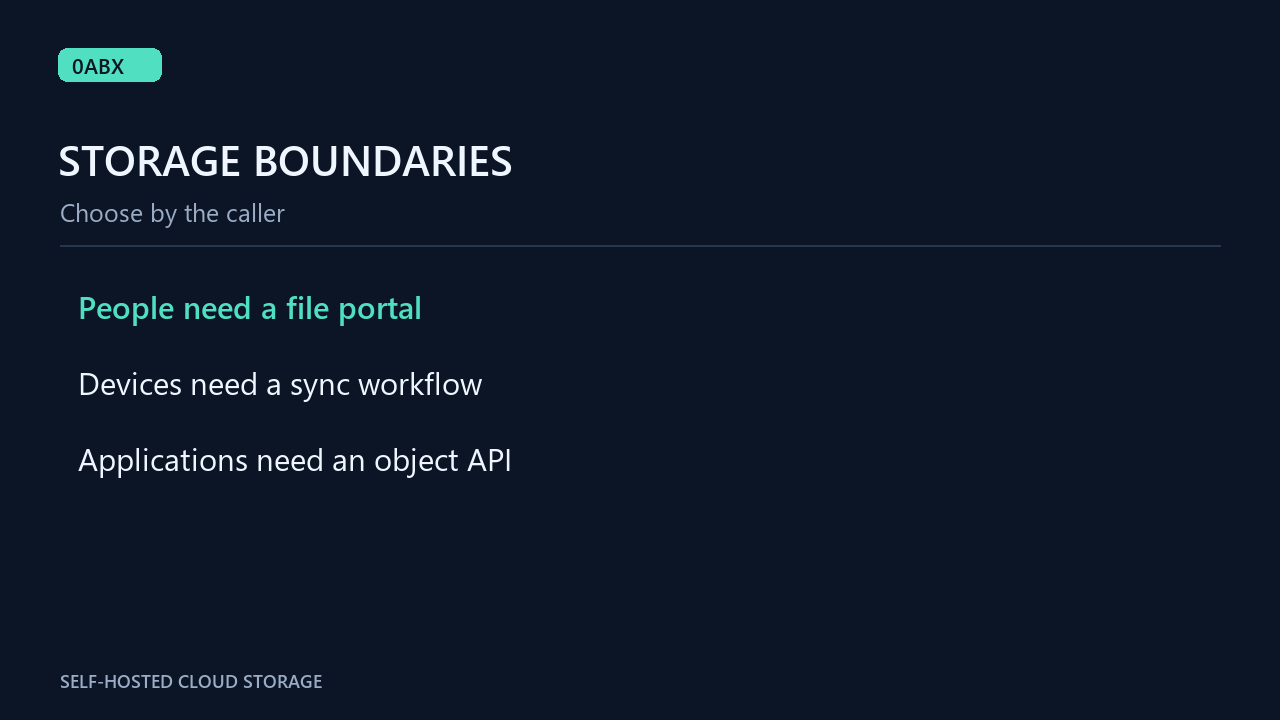
A browser file portal is for people who need shared folders. Sync is for keeping device copies in step, while object storage is for applications that work with buckets. For a shared folder, verify who can open it after a permissions change and recover it from a separate backup.
This guide provides an original migration worksheet and proposed acceptance checks. The examples are fictional planning inputs, not measurements of a deployed system. No storage product was benchmarked for this article.
Pick the storage boundary before picking the product
Your actual job
Candidate boundary
Question that decides it
People browse, share and retrieve documents
A file portal such as Nextcloud or ownCloud
Can each intended client complete the actual sharing workflow?
Applications write objects through an API
Self-hosted S3-compatible storage
Does the application support this endpoint and its required API behavior?
You need copies on particular devices
A synchronization workflow
What happens when a device is offline or two copies change?
Nextcloud describes desktop and mobile access, sharing and optional collaboration features. ownCloud distinguishes Infinite Scale from its older Server product; an ownCloud self-hosted deployment should identify its exact product and edition before following instructions. These are candidates for evaluation, not a ranking by speed or safety.
Original 0abx storage boundary map.
An original migration contract you can fill in
Use this contract before installing anything. Name a person for each row, give the evidence a private reference, and leave results as NOT RUN until someone performs the check. Do not put passwords, private files or access tokens in a shared worksheet. The objective is to turn “it works” into a decision another operator can repeat.
Decision
Write down
Acceptance evidence
Authoritative copy
Which existing location remains the source until cutover?
A dated inventory with file count and selected hashes
Clients
Browser, desktop, phone and offline requirements
Each required client opens the same synthetic fixture
Sharing
Who may view, edit, upload and revoke access?
A permitted account succeeds; a denied account fails
Recovery
Which independent copy survives loss of the main server?
A separate restore opens the fixture and preserves required permissions
Exit
How will people retrieve usable files if this service is retired?
An export is readable without depending on the original server
A small fixture that exposes large migration mistakes
Create a disposable folder with an ordinary text document, a nested directory, a filename with spaces, a non-Latin filename and a harmless image. Add a second version of the text document. Record which versions and metadata actually matter to you. This fixture is an original proposed test set; it is not a claim that every product preserves all metadata.
Upload the fixture through the intended everyday client. Download it using a second client and compare contents. Record unsupported names or transformations rather than quietly renaming everything.
Grant a disposable collaborator the minimum intended access. Confirm a different account cannot reach the restricted folder. Revoke the share and retest the original link in a clean session.
Disconnect a disposable device, change its local test copy, then reconnect. Observe the actual conflict behavior. Never conduct this exercise against the only copy of important files.
Back up the application using its documented consistency procedure. Restore into an isolated destination; keep the production hostname and clients away from it.
Export the fixture to an ordinary retrieval location. Check filenames, contents and required metadata. Log what does not survive the exit.
Two fictional households, different answers
Household A needs grandparents to retrieve a few documents through a browser. Nobody will maintain a device-to-device sync mesh. Its contract prioritizes simple account recovery, explicit shares and an alternate operator. A sophisticated backend does not solve an unusable sign-in process.
Studio B has two editors, offline work and a service that writes objects through an S3 API. It should record the editors’ file workflow separately from the application’s object workflow. Giving people bucket credentials to compensate for a missing file portal expands access and leaves the original problem unresolved. Neither scenario implies a particular product passed these checks.
Calculate a transfer floor, then measure the rehearsal
For a fictional 120 GB transfer over a sustained 20 Mbps upload path, the decimal-unit floor is 120 × 1,000,000,000 bytes × 8 ÷ (20 × 1,000,000 bits/second) = 48,000 seconds = 13 hours 20 minutes. Both inputs are invented for this example. This excludes protocol overhead, retries, concurrent use and storage bottlenecks; it is not a completion promise. Substitute your inventory size and an observed sustained rate, and record the rehearsal separately.
Reserve headroom for uploads, temporary work, versions and backups instead of equating a disk label with usable space. For an original planning example, 200 GB of current files plus 60 GB reserved for versions plus 40 GB temporary space totals 300 GB before filesystem overhead or an independent backup. These are hypothetical allocations, not sizing advice for any named application.
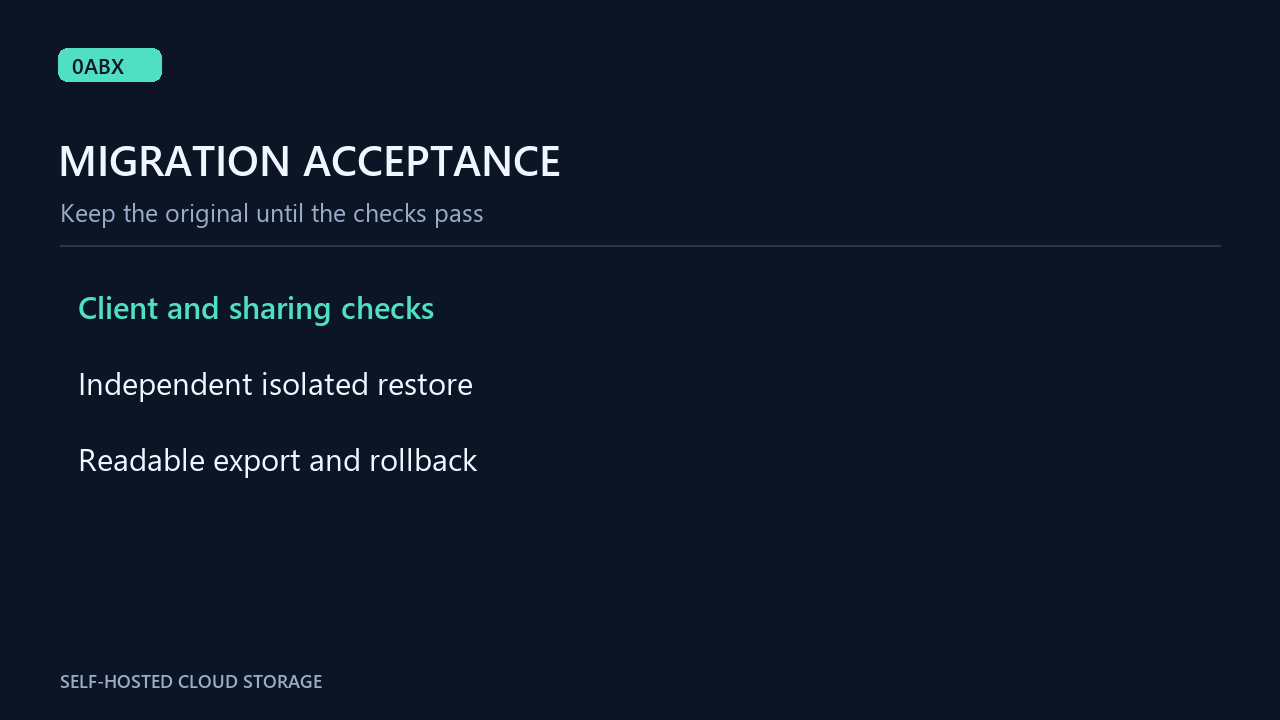
Download the original cloud-storage migration worksheet. Record PASS, FAIL or NOT RUN for each checkpoint, plus the date, application version, client and operator. Stop the cutover if denied access succeeds, the export is unreadable or the independent restore has not been demonstrated.
Keep file storage and object storage distinct
Self-hosted file storage serves a person’s file workflow. Self-hosted object storage serves an application’s object API. An S3-compatible label is a starting point for compatibility checks, not proof that your client supports every needed operation.
Nextcloud’s primary-storage documentation explains an important boundary: with an object backend, names and directory metadata remain in the application database while object content uses identifiers. Direct bucket access therefore does not reconstruct an ordinary folder tree. Its documentation also warns that configuring primary object storage on an existing instance makes existing files inaccessible. Plan a documented migration rather than changing a configuration key on the live library.
The same document distinguishes primary storage from its external-storage integration. Decide which integration you actually need. “Cloud storage self hosted” does not specify which component owns identities, metadata, shares or recovery.
Original 0abx cloud recovery contract; proposed checks, not test results.
A recovery decision before the first real upload
Nextcloud’s backup instructions include application configuration, data, database and relevant application/theme files. A folder of downloaded documents is useful, but it does not by itself preserve the complete service. Keep a recovery record appropriate to the exact release and deployment method you choose.
For ownCloud, confirm whether the instructions concern Server or Infinite Scale and use matching release documentation. Do not combine backup commands from one architecture with storage assumptions from another. Avoid copying credentials into public examples.
Our restore-first backup checklist covers the independent recovery boundary. For the host and migration handoff, use the website and server guide. Keep these responsibilities explicit before adding optional collaboration features.
Common questions
What is the best self-hosted cloud storage?
The best fit is the one that passes your client, permission, recovery and exit contract with an operator you can sustain. A feature count cannot answer those questions for you. Test the selected edition with disposable data before moving important files.
Can a bucket replace my family cloud drive?
Only if a suitable application provides the user workflow you need. A bucket endpoint alone does not establish browser editing, account recovery or safe sharing for relatives.
Is synchronization enough protection?
No. The contract needs an independent recoverable copy and a restore check. A mistake that propagates to other clients remains a mistake in multiple places.
Watch the short walkthrough
Original narrated slides with synthesized English voice. The written checklist above provides the same guidance.
Planning guide reviewed 30 October 2026. Product capabilities should be checked against the installed release. The worksheet, fixture, scenarios and arithmetic examples are original 0abx material; proposed checks are not reported test results.